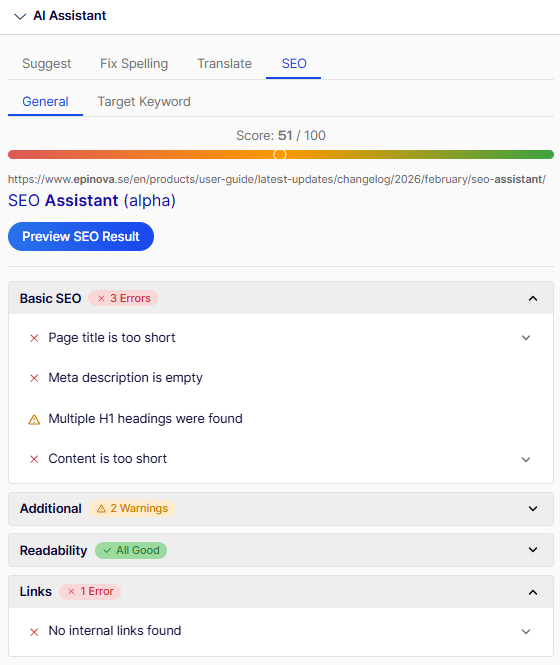
The SEO Assistant helps editors improve their pages visibility by helping them understand how the page will look like in search results in Google, or when linking to the page in external platforms like Facebook and LinkedIn. The SEO Assistant also helps the editors to make sure that the page has been optimized, for instance having an ideal page title length, making sure that important keywords exists in key fields, that paragraphs are of ideal length etc.
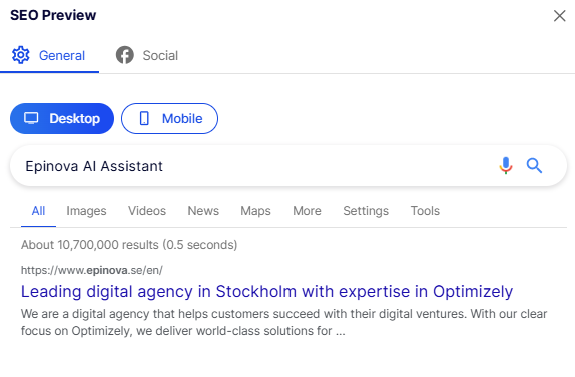
Preview how the page will look in different media
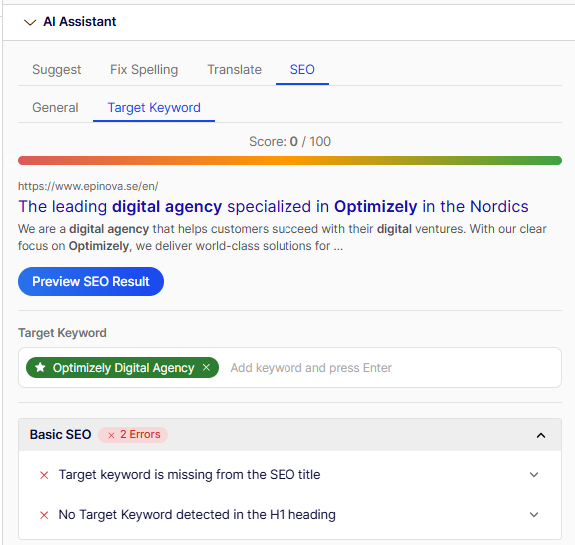
Work with target keywords
Optimize your target keywords while working with the content to make sure that your page is visible to the right audiences and search behaviour. Either you can enter keywords manually, or the AI Assistant can help you find the keywords to optimizely for based on the pages content.
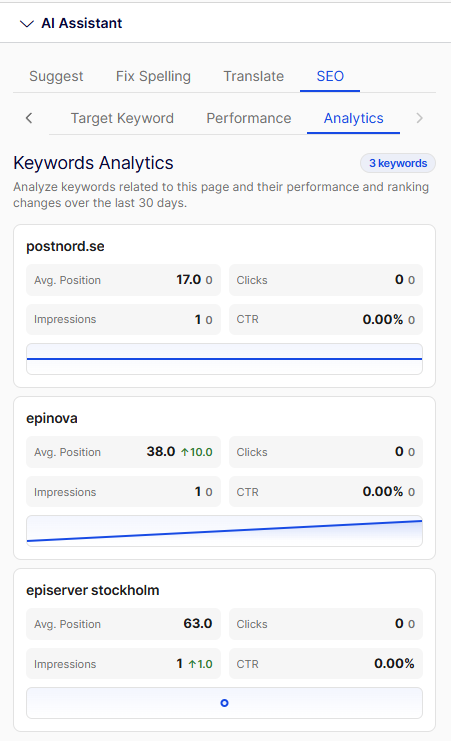
View page statistics from Google Analytics
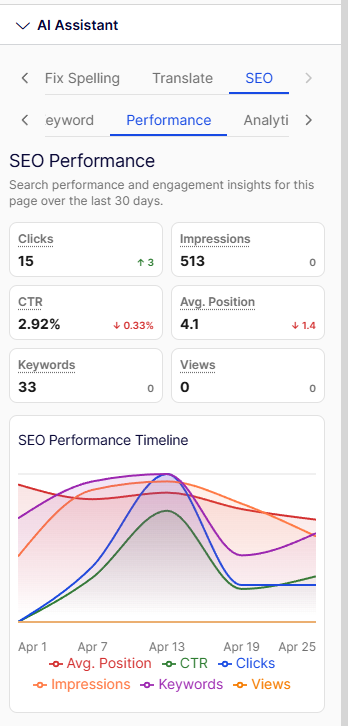
If you've connected the AI Assitant to your Google Analytics account, you can see overall statistics for the current page in this view.
View keywords statistics for the page
In the keywords view you can see keywords that the current page is raking for, and how these rankings have changed in the last 30 days.