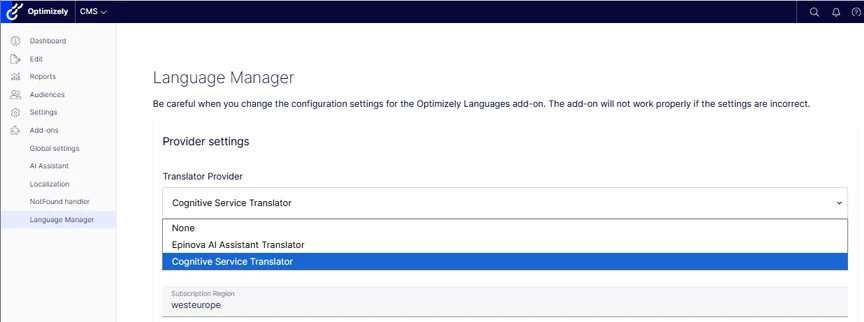
To connect the AI Assistants translation capabilities with the Optimize Languages addon, you need to install a separate Nuget package: Epinova.CMS.AiAssistant.LanguageManagerProvider. Once you have added the package, configuration of the AI Assistant to the Optimizely Languages addon is done in the Optimizely Languages UI. Select the AI Assistant as the translation provider and save to connect these.