Before proceeding, ensure that a Google service account has already been configured. For setup instructions, see how to create a Google Service Account in the developer guide.
Connecting Google Search Console and Google Analytics
1. Verify Google Account Connection
Once a Google service account has been configured:
- Navigate to the AI Assistant → SEO Manager → General Settings in the admin interface.
- Locate your connected account.
- Click Test Connection.
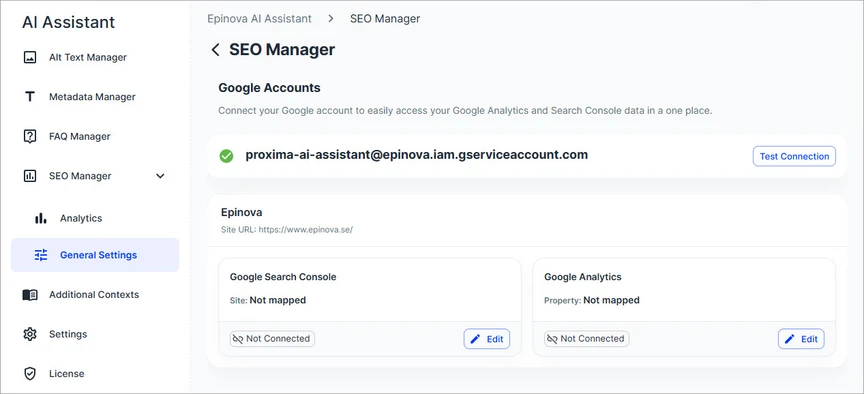
This step confirms that the system can access both Google Search Console (GSC) and Google Analytics (GA) APIs. A successful result means the account is ready to use. If the test fails, review the service account permissions and configuration.
2. Map Your Sites
After verifying the connection, map each site to its corresponding Google properties:
- Go to the Sites section.
- Locate the site you want to configure.
- Click Edit.
3. Select Google Properties
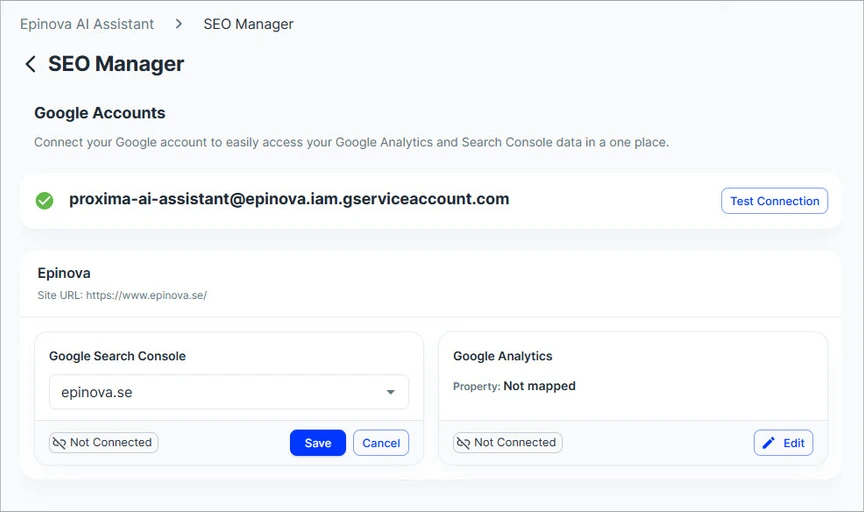
Google Search Console (GSC)
- Choose the appropriate GSC property from the list
- Click Save
Using a URL-prefix property is recommended, as it provides more precise targeting and ensures the data aligns closely with your site's structure and environment.
Google Analytics (GA)
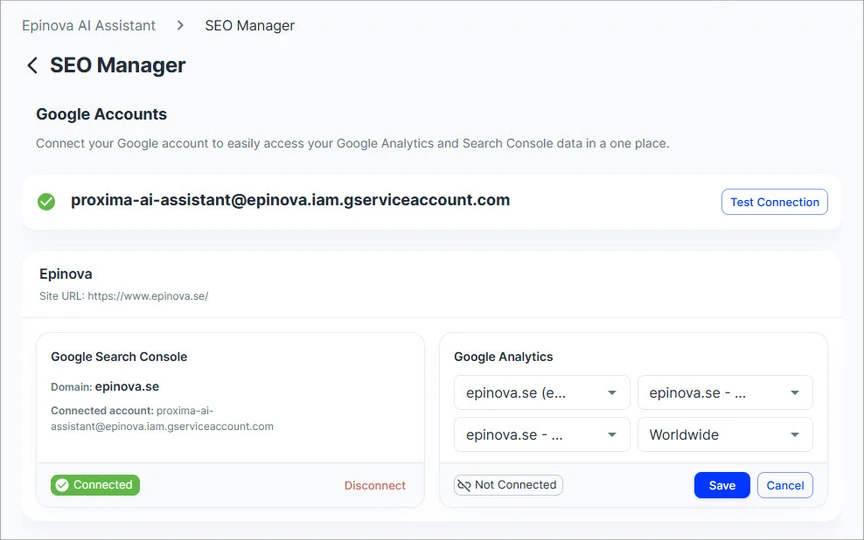
Configure the following:
- Select GA Account
- Select GA Property
- Select Data Stream
- Select Country
- Click Save to apply the mapping once all properties have been selected
These selections ensure accurate analytics data mapping for your site.
4. Run Data Synchronization
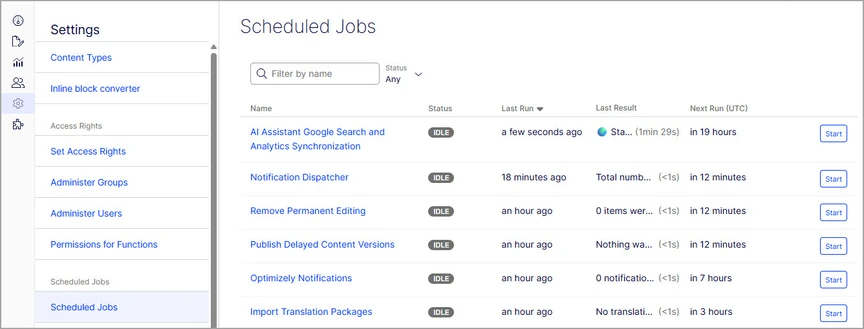
To import and sync data from Google services:
- Navigate to: Settings → Scheduled Jobs
- Locate: AI Assistant Google Search and Analytics Synchronization
- Click Start to run the job
This process retrieves data from GSC and GA and updates the AI Assistant with the latest insights and reporting data.
Disconnect a Site
If you no longer want a site connected to Google services, you can disconnect it at any time.
- Navigate to the Sites section
- Locate the site you want to disconnect
- Click Disconnect
Disconnecting a site removes its association with Google services and clears all previously synchronized data from the AI Assistant. The site will stop receiving any further updates.
Note: This action cannot be undone. If you reconnect the site later, data will need to be synchronized again from scratch.