Watch the video below
Proxima AI Assistant helps you with the spell checking in a minute!
Fix Spelling
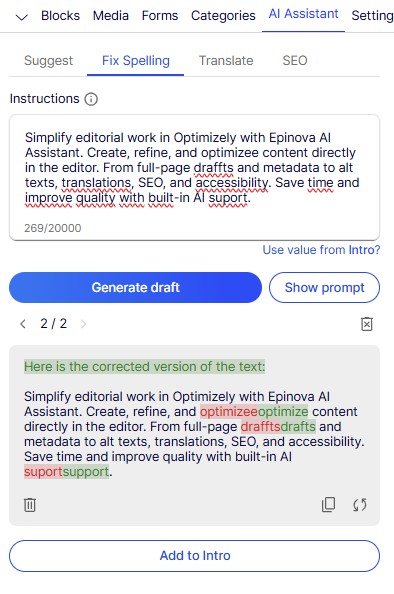
- Click the field you want to check for spelling errors and choose the Fix Spelling tab in AI Assistant.
- Click Use value from… to copy the content into instructions.
- Click Generate Draft.
- Review the color-coded spelling fixes in the result and click Add to… to replace the content.