Watch the video below
Epinova's Alt Text Manager helps you generate Alt Texts in a minute!
Instead of manually reviewing hundreds of pages, editors can review, edit, and publish improvements efficiently and consistently.
Key features
- Scans your website solution and find missing image alt texts
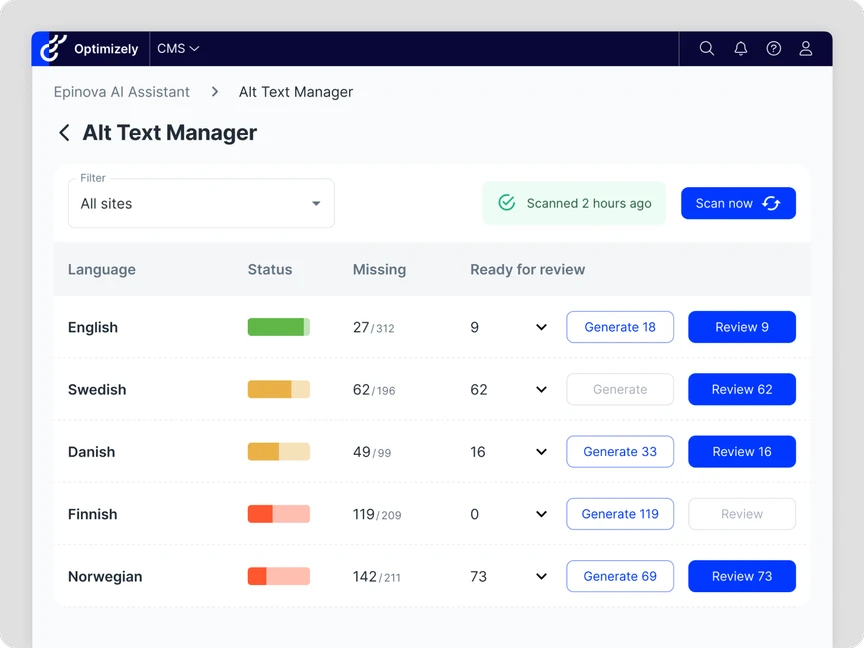
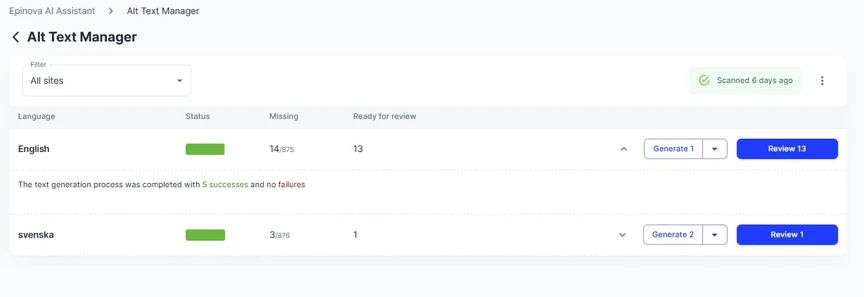
- Shows you the current status of each site and languages
- Generate and manage alt texts in multiple languages to support localized content.
- Supports images in CMS 12 and Commerce Connect 13
- Bulk publish in one block, or use the quick and easy workflow to review generated alt texts to published accessible pages
- Possible to give additional context for the AI agent dynamically to be able to adjust alt text generation, for instance per site or brand.
- If an alt text already exists in a language and the image exists in multiple language, the Alt Text Manager will translate the alt text. This makes it possible to review and modify alt texts in one language first, and the auto publish translated variants to your other languages.
User Guide
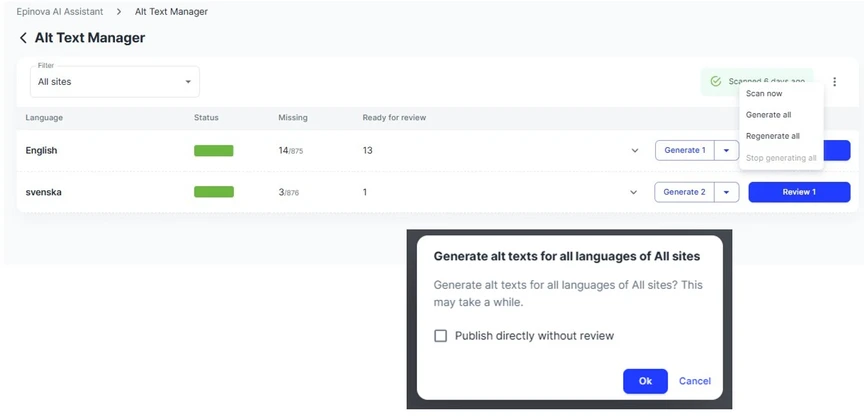
- The Alt Text Manager helps you keeping track of any images that are missing alt texts.
- It can automatically generate suggestions for alt texts for any instances where they are missing.
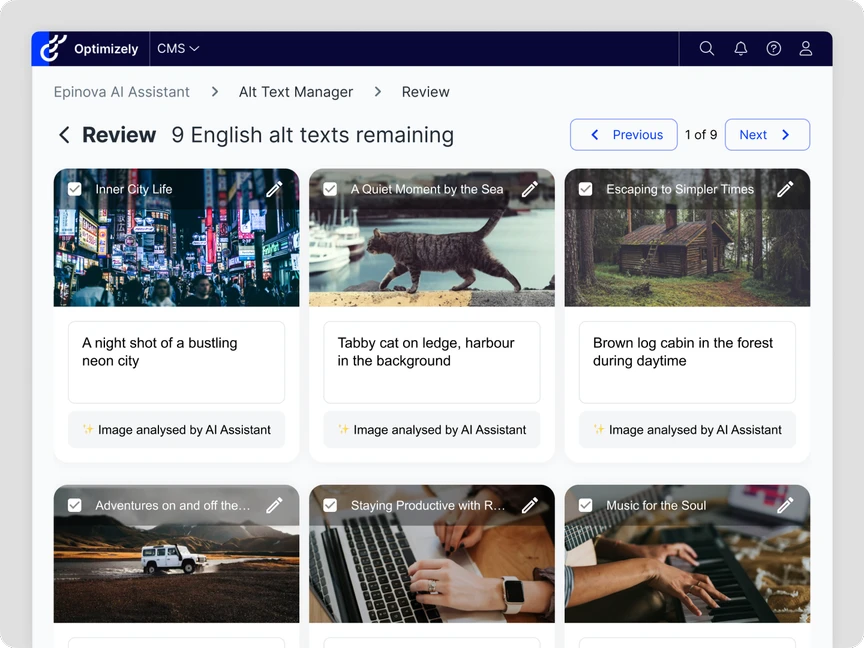
- You review and publish the updates alt texts directly from the UI in a workflow designed for speed.
- There's an option to generate and publish alt texts for all images without a manual review.
- It's also possible to generate new alt texts for images, even for images that already has an alt text. This can be useful if your sites has a large proportion of low quality alt texts.
Get started
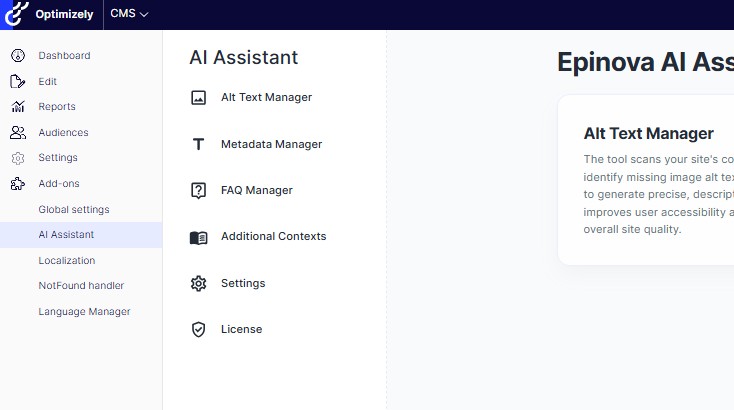
- To get started open the AI Assistant plugin found in Add-ons.
- The Alt Text Manager will list the different language sites that are available
- A scheduled job scans for missing alt texts. It's also possible to run this from the manager.
- The AI will identify images which are missing alt texts, and currently used.
- The scans can take som time if it is a large batch of images
Using the Alt Text Manager
- In the manager you have a few different alternatives
- Generate image alt texts that are missing for a given site and language, or for all sites
- Regenerate already genererad, but not approved alt texts (can be good if you have changed configuration or added additional context for the AI agent)
- Review and approve generated alt texts
- Trigger the alt text scanning job if needed
Review
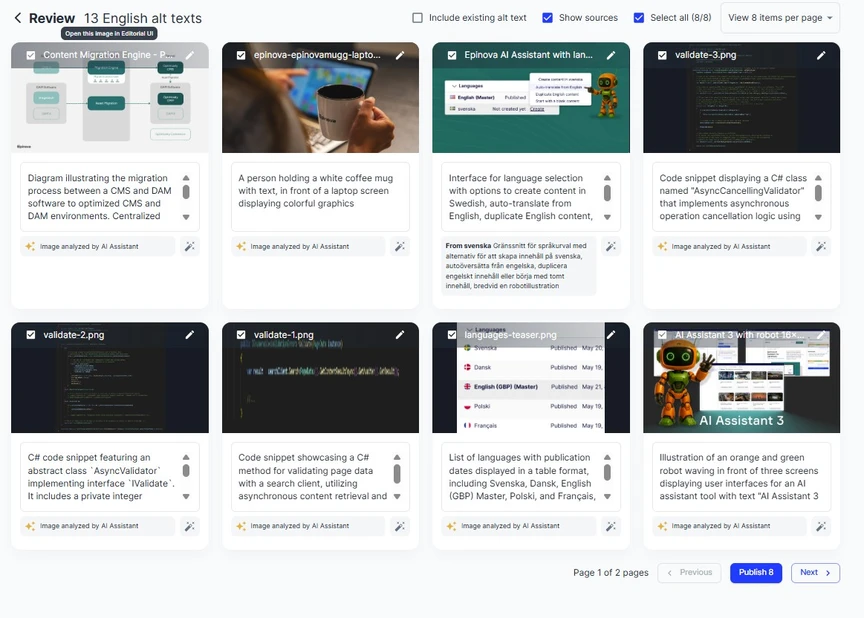
- All the suggested alt texts are presented in review mode allowing the editor to make updates, exclude or approve individual or selected images.
- Changes to the suggested alt texts are made by clicking on the text box and typing a new suggestion.
The result
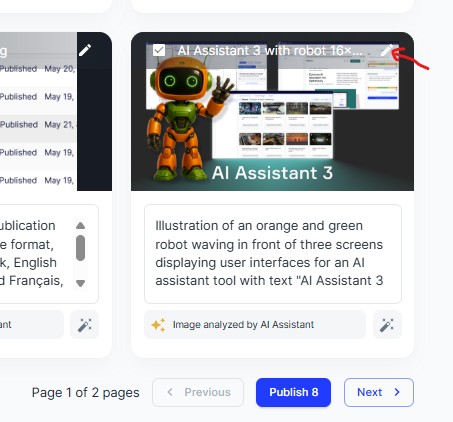
- The edit pen shown at the top of the image will take you back to the CMS where the image is stored.
- Click Publish to add the current page of new alt texts to the corresponding images.
Generating and publishing alt texts for all languages
- Click the three dot menu on the right and choose ”Generate all”
- In the dialog, click ”Ok” to generate alt texts for all languages, or select ”Publish directly without review” to bypass review and publish all generated alt texts.