Watch the video below
Proxima AI Assistant helps you generate Meta data for a page in a second!
Generate Meta data for a page
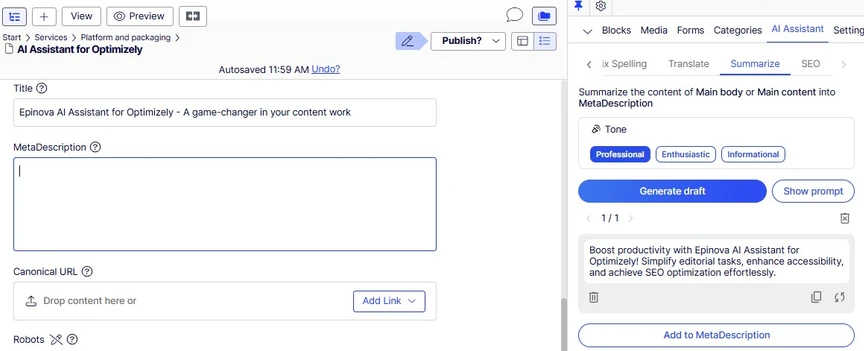
- Under the Metadata tab, click the MetaDescription field and the AI Assistant will default to Summarize mode.
- Choose your tone and click Generate draft.
- Review and click Add to MetaDescription
- Title and MetaDescription labels may vary depending on how your CMS is set up.