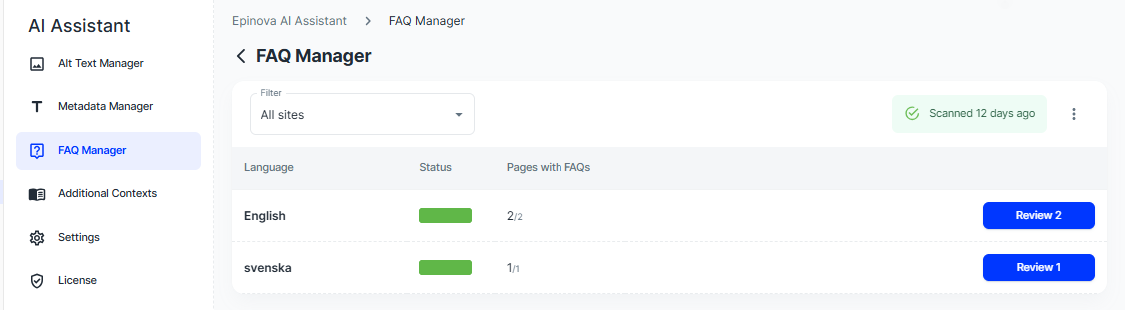
The FAQ Manager is available in the manager parts of the AI Assistant. When you open the FAQ Manager you will see a list of your sites with information on how many pages that have FAQs. Since FAQ:s might not be relevant for all pages, for instance a press release, you need to add FAQ:s to your content model as well as hinting this to the AI Assistant (this is done by a developer). Pages that are of a type that has an FAQ within it's content model will automatically show up here.
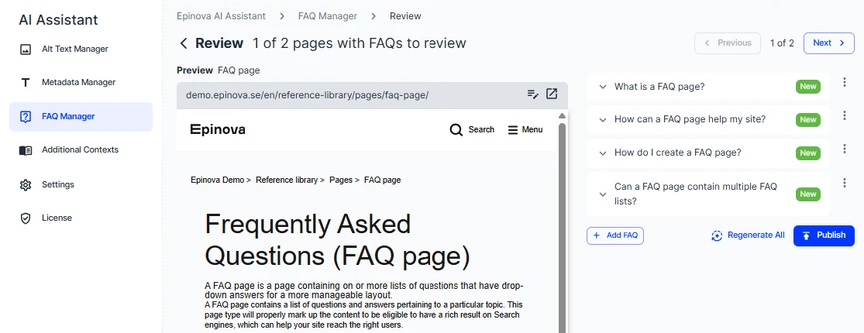
If you go to a page that's missing FAQs, you will see the page as well as a few automatically created questions and answers based on the content. It's possible edit the content, or to regenerate all questions and answers, as well as locking the ones you want to keep and regenerate the rest. Once that you are happy, publish the changes and move to the next page.
It's possible to add either a part of a page name to quickly find it in the listing, but you can also add a URL for a page - and this page and all descendants will show in the listing. For instance, adding https://www.epinova.se/en/Case-Studies/ will show all English case studies for the Epinova website.