Page Statistics
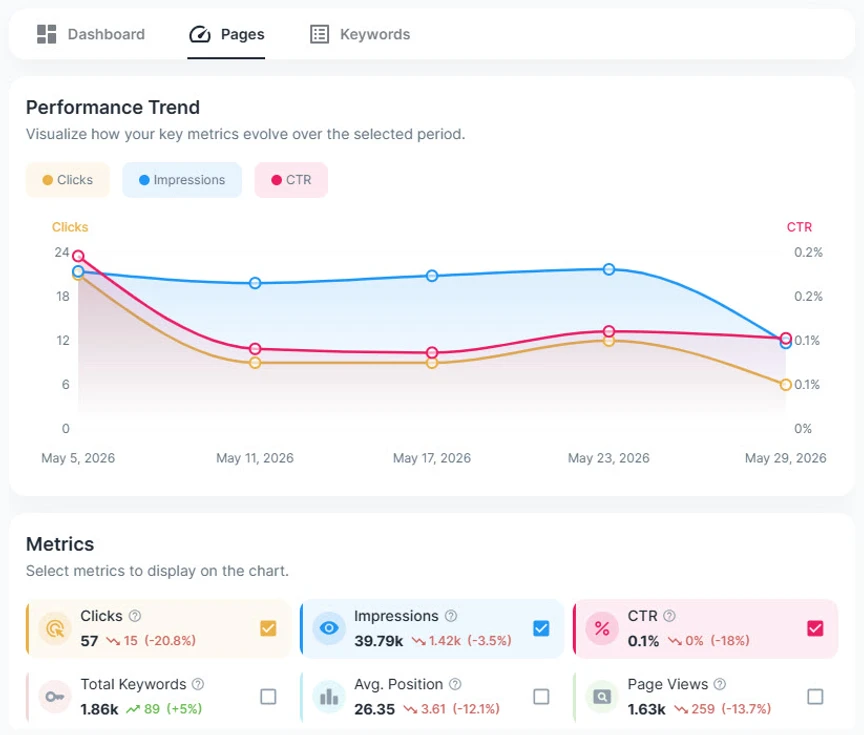
The Page Statistics section summarizes overall SEO performance for your pages within the selected period.
It includes key metrics such as:
- Clicks - The number of times users clicked your pages from search results.
- Impressions - The number of times your pages appeared in search results.
- Avg. CTR - The average click-through rate.
- Page Views - The total number of visits to your pages. This metric comes from Google Analytics.
- Avg. Position - The average ranking position across search results.
This section is similar to the Page Statistics section on the Dashboard. Because apparently one performance summary was not enough for humanity.
Metrics Graph
The metrics graph shows how your selected metrics changed during the selected period.
Use this graph to understand trends over time, such as:
- Whether clicks and impressions are increasing or decreasing
- How CTR changes across the period
- Whether average position is improving or declining
- How page views compare with search performance
Page List
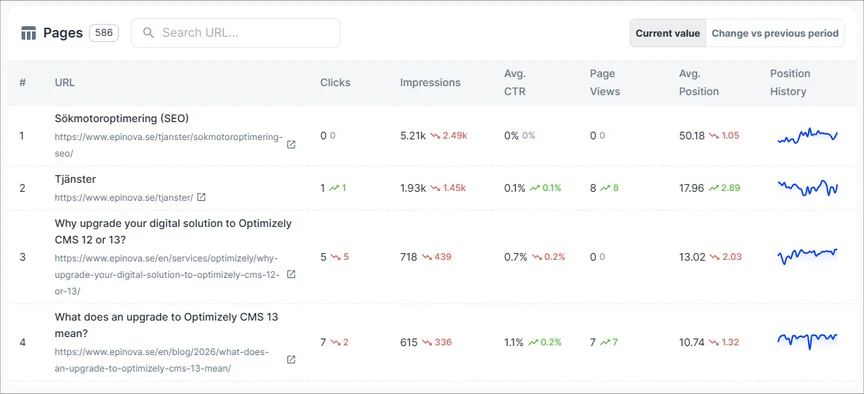
The page list shows detailed performance data for individual URLs.
Each row includes:
- URL and Page Title - The page URL, shown together with the page title when available.
- Clicks - The number of clicks the page received from search results.
- Impressions - The number of times the page appeared in search results.
- Avg. CTR - The average click-through rate for the page.
- Page Views - The number of visits to the page from Google Analytics.
- Avg. Position - The average ranking position of the page in search results.
- Position History Graph - A small graph showing how the page's ranking position changed over time.
Searching Pages
Use the search field to find pages by URL.
This is useful when you want to quickly check the performance of a specific page.
Sorting Pages
You can sort the page list by available columns, such as clicks, impressions, CTR, page views, or average position.
Sorting helps you identify:
- Pages with the highest or lowest traffic
- Pages with the strongest or weakest search visibility
- Pages with the best or worst average ranking positions
- Pages with the biggest performance changes
Sort Value Type
The Sort Value Type setting controls how sorting is applied.
Available options are:
- Current Value - Sorts pages based on their value in the selected period.
- Change vs Previous Period - Sorts pages based on how much the value changed compared to the previous period.
Use Current Value when you want to find the top or bottom performing pages right now.
Use Change vs Previous Period when you want to find pages with the biggest improvements or drops over time.
Page Details
Click a page in the page list to open its detail view.
The detail view lets you analyze that specific page more closely, including its performance metrics and ranking history within the selected period.
For more information about a specific page, see the page details view.