What the Metadata Manager Does
- Identifies pages that are either lacking or has a too long or too short meta title or meta description
- Suggests AI‑generated metadata summaries based on the page’s main content within the optimal length
- Ensures metadata tone and style remain consistent across the site
- Helps editors find and optimize pages for search engines with minimal manual effort
How It Works
You can find the Metadata Manager under the manager tools for the AI Assistant. Here you will see an overview of the status for your site(s) and language(s).
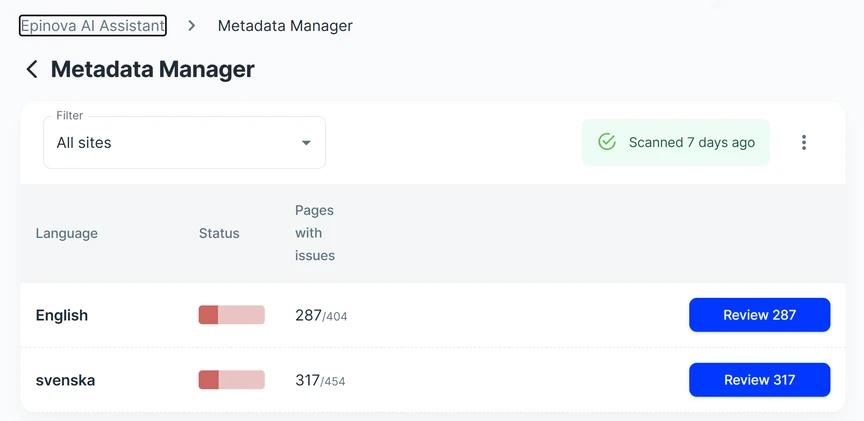
Select a site to get an overview of the pages where there's potential for improvements. Either click on a page to start the process, or search for specific pages that you want to optimize.
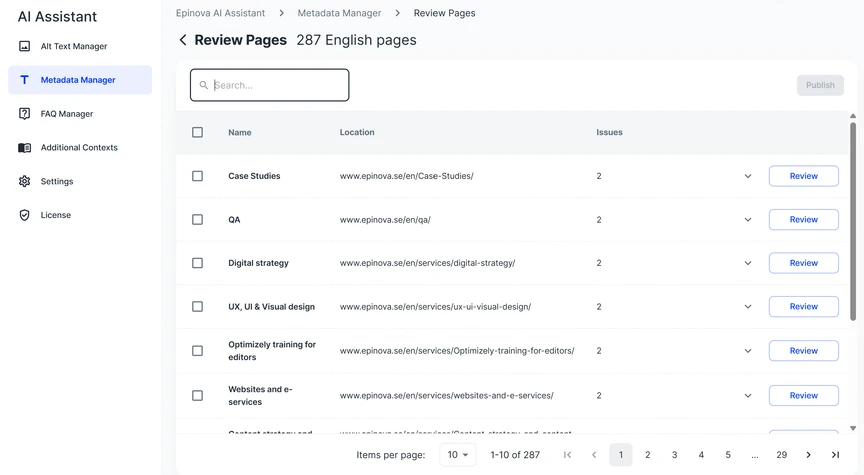
Select a site to get an overview of the pages where there's potential for improvements. Either click on a page to start the process, or search for specific pages that you want to optimize.
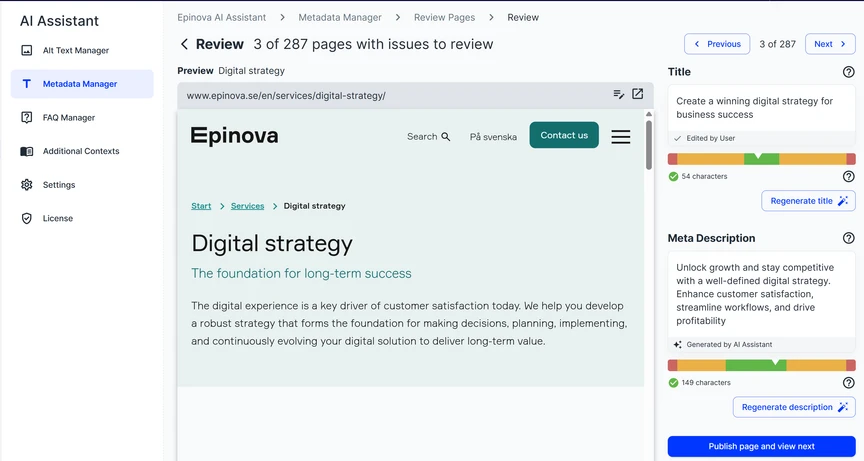
In the page review screen you will see the page in question as well as a sidebar with pre-generated title and meta description based on the page. You also get an indication of the optimal length for these two fields, and you can either adjust or regenerate until your happy. Publish the page, and click on the right arrow to move to the next page to improve.
Best Practices
- Try to keep titles and meta descriptions within or close to the recommended lengths to improve CTR:s
- Ensure the description accurately reflects page content and your intended SEO keywords
- Always review the AI suggestions before publishing
Why It Matters
Having meta fields that includes important SEO keywords for the page in question and that are of optimal length will increase both your SEO and GEO visibility as well as click through rates.