The SEO functionality has a Manager part as well as an Editor Assistant that's available when editing content. Together, they will help your organisation in working towards common goals to be visible for your desired keywords. Keywords can be set per page to that editors know what the page is intended to rank on, and you can see the progress for this directly while working with a page.
Once you've connected your Google Search Console and Google Analytics accounts (described here) you get access to a few views where you can see an overview of how your site(s) perform based on data from Google Analytics and Google Search Console. 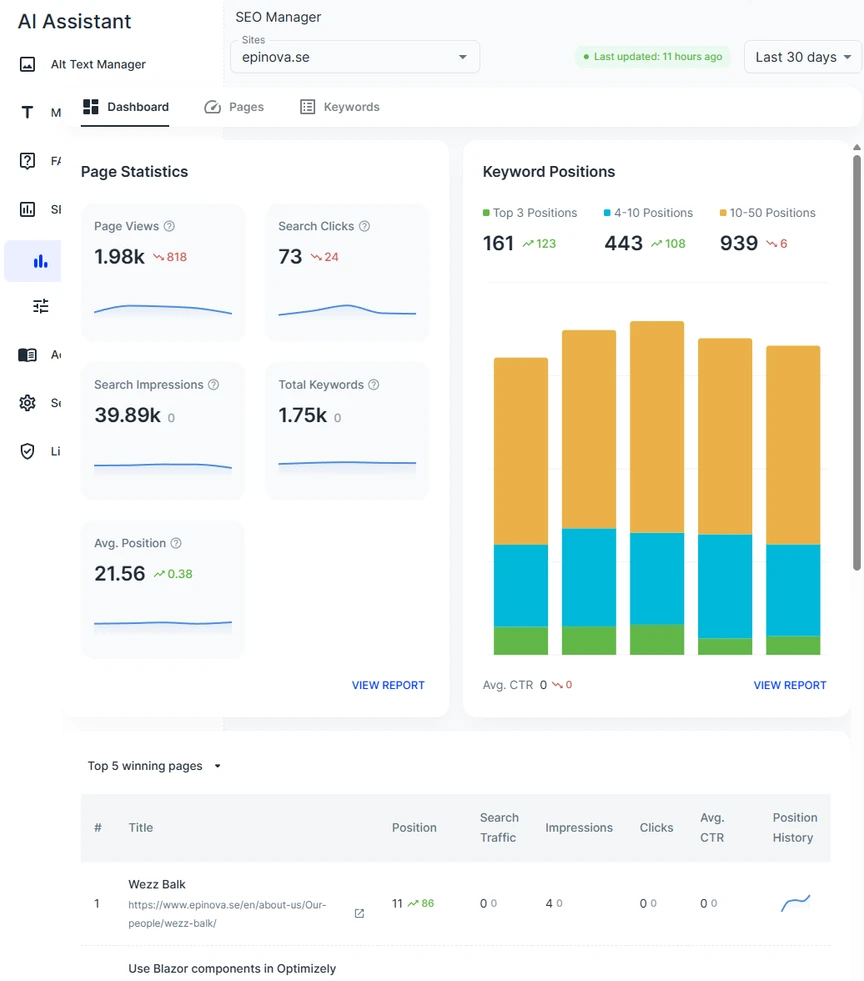
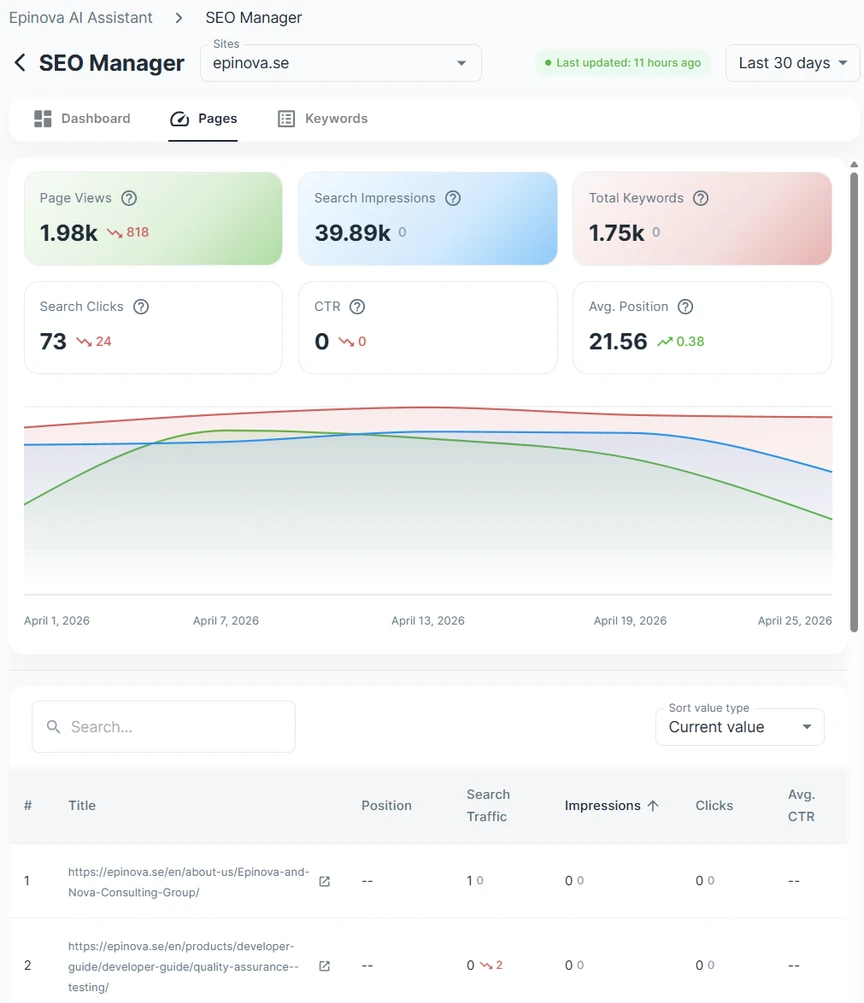
Pages view
Here it's possible to see how your different pages and products for the sites perform from an SEO perspective for a given period. You can change period as well as sorting on the different columns in the table.
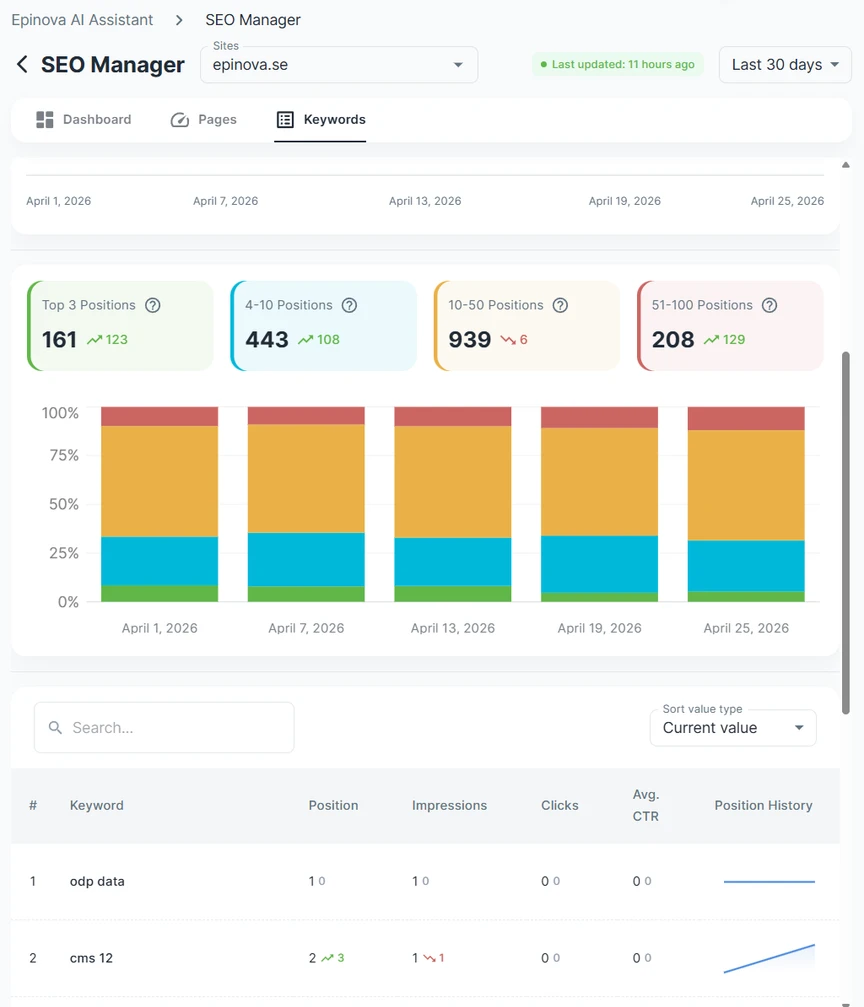
Keywords view
In the keywords view you can get overall statistics on how you are ranking on different keywords as well as the total visibility for your site, as well as drilling down to different keywords that you are raking on. This is great for editors that might not have direct access to or that does not feel comfortable going direct into Google Search Console or other SEO tools.
Once you've connected your Google Analytics and Google Search Console accounts, tou can also use the SEO Assistant that gives you valuable insights to each page or product on your website(s).