Go to main content Go to main menu

Proxima AI Assistant for Optimizely

A game-changer for your content work

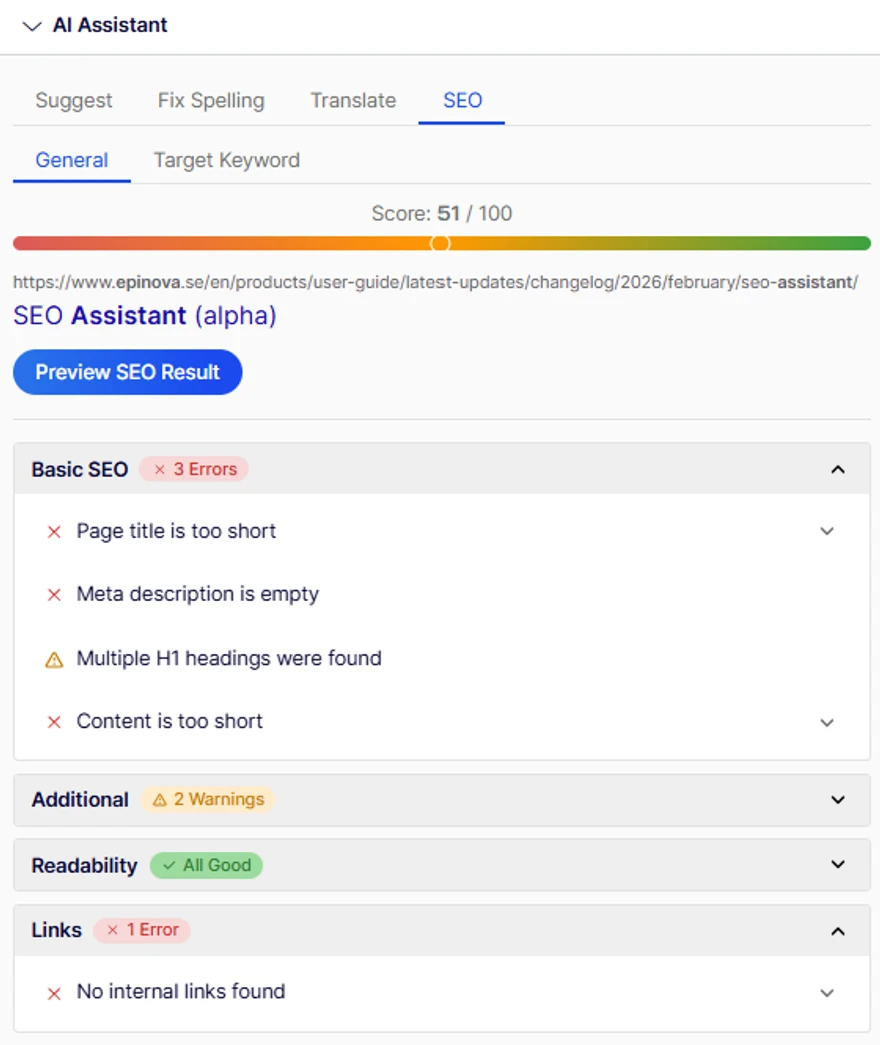
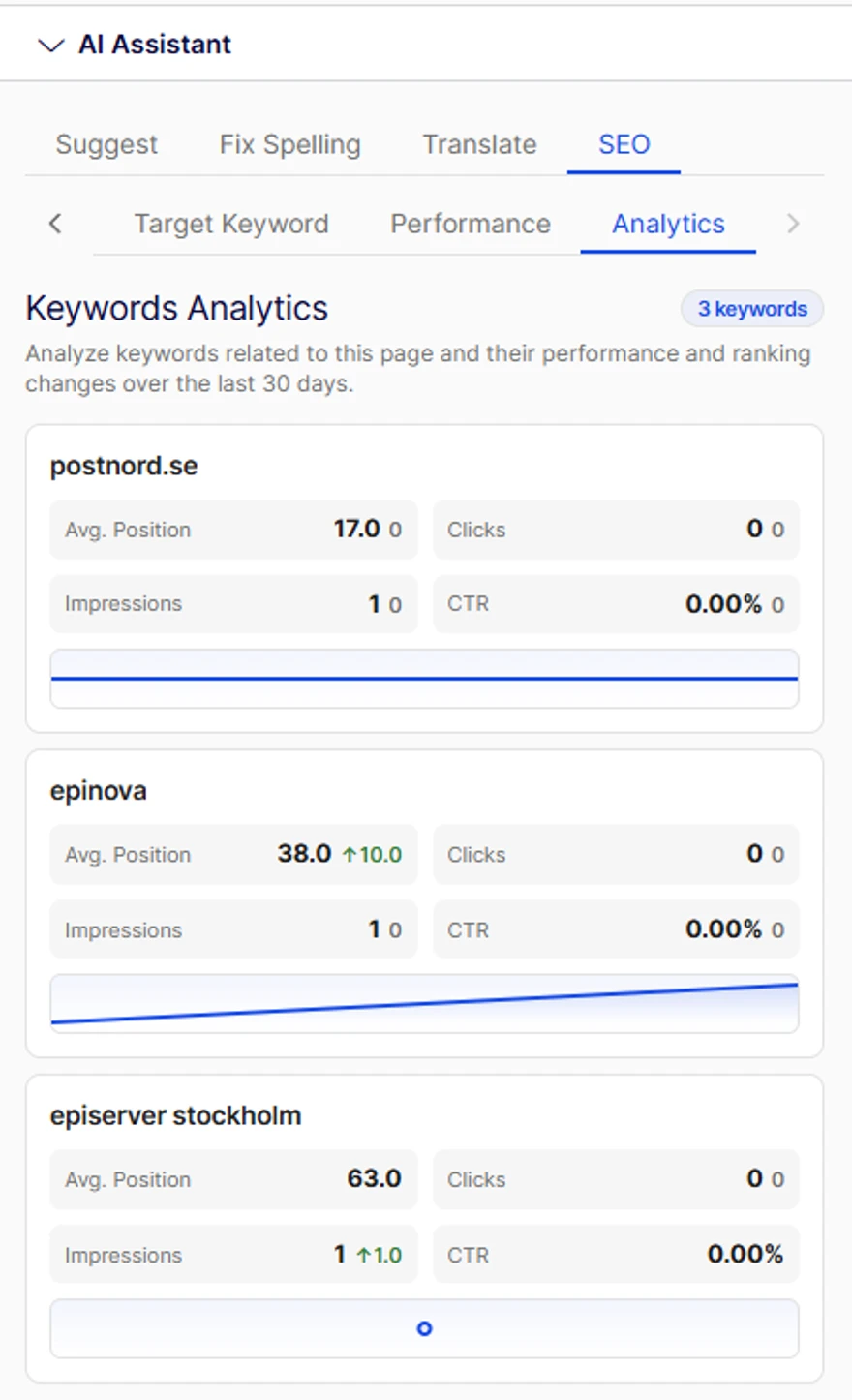
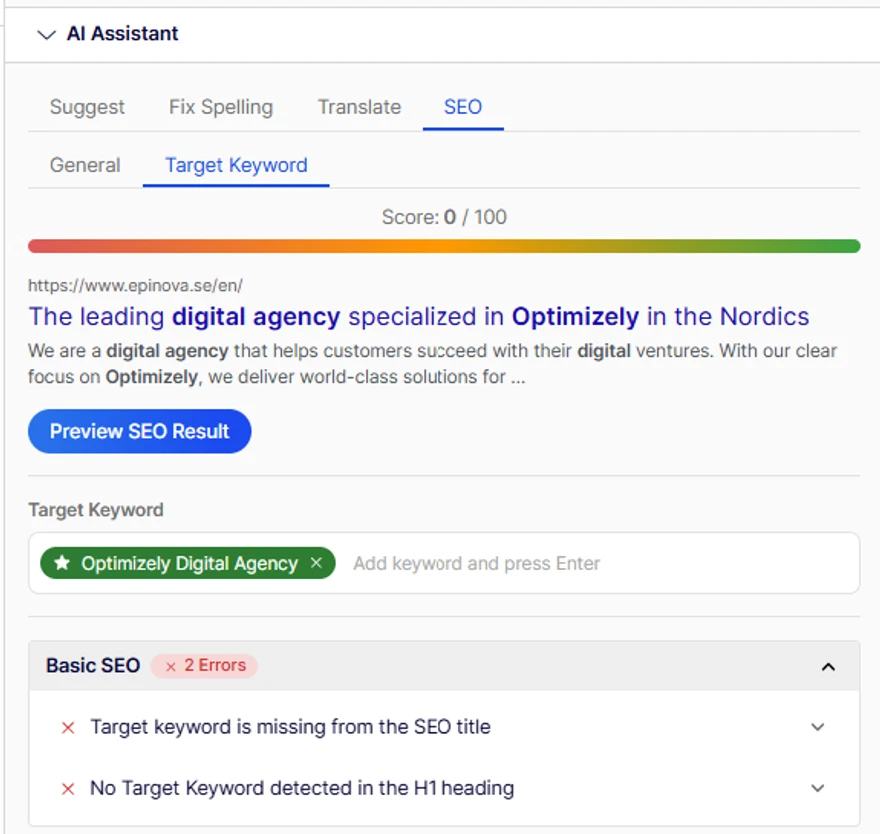
Simplify editorial work in Optimizely with Epinova AI Assistant. Create, refine, and optimise content directly in the editor. From full-page drafts and metadata to alt texts, translations, SEO, GEO and accessibility. Save time and improve quality with built-in AI support.


Epinova AI Assistant

Epinova AI Assistant for Optimizely simplifies and streamlines time-consuming editorial tasks, freeing up valuable time so editors can focus on creating engaging and relevant content.

Once I got started with the AI Assistant, it was a TOTAL GAME CHANGER!

Mia Odeh, Coor

Why choose Proxima AI Assistant?

  • Smart features that let you create and edit FAQ blocks, alt text, and meta titles in bulk quickly and efficiently.
  • Cost-effective AI service that is constantly evolving with new features
  • Save time on translations
  • Ensure correct spelling and that tone of voice is followed
  • Compatibility with Optimizely CMS 12, upcoming CMS 13, and Commerce Connect 13/14
  • Use your company’s AI service when needed

Contact us if you want to try and evaluate the service free of charge!

Daniel Gideman in front of a computer

The AI Assistant is useful in many ways – both to get inspiration for a new draft or to write creative image alt texts. We use it extensively.

Daniel Gineman, Elite Hotels

FAQ Manager – scalable FAQ creation for GEO 

FAQ Manager transforms how you create and manage FAQs in Optimizely. Instead of manually writing questions, building blocks, and updating pages one by one, the tool generates relevant, structured FAQs based on your existing page content, search intent, and brand voice.

Editors can review, refine, and publish AI-generated FAQs in one seamless workflow, ensuring consistency, saving time, and strengthening both SEO and user experience. Built for multi-market organisations, FAQ Manager also supports GEO optimization, making it easy to adapt FAQs for different regions while maintaining central control.

No manual block building. No fragmented workflows. Just high-quality FAQs — at scale.

Key features

  • Automatically generates FAQs based on page content, metadata, and search intent
  • Adapts tone and messaging to your brand voice
  • Enables centralized governance with local market flexibility (GEO support)
  • Create, edit, and publish FAQs in one unified interface
  • Supports structured content for improved SEO, featured snippets, and accessibility
  • Scales across hundreds or thousands of pages efficiently

I want to read more about the Proxima FAQ Manager

Alt Text Manager – Automated accessibility

With the EU Accessibility legislation taking effect in June 2025, this is something you’ll need to address. Thanks to our Proxima AI Assistant, editors can now resolve this effortlessly. The tool finds missing Alt texts and auto-generates them in real-time. You can choose to publish directly or review before finalizing. 

Key features

  • Scans your website solution and find missing image alt texts
  • Shows you the current status of each site and languages
  • Generate and manage alt texts in multiple languages to support localized content.
  • Supports images in CMS and Commerce Connect
  • Quick and easy workflow from generating and reviewing alt texts to published accessible pages

Effortless Alt text optimization – watch how!

Epinova's Alt Text Manager helps you identify missing Alt texts and generate new Alt texts in a minute! Watch the video!

Meta Data Manager – Optimized metadata in seconds! 

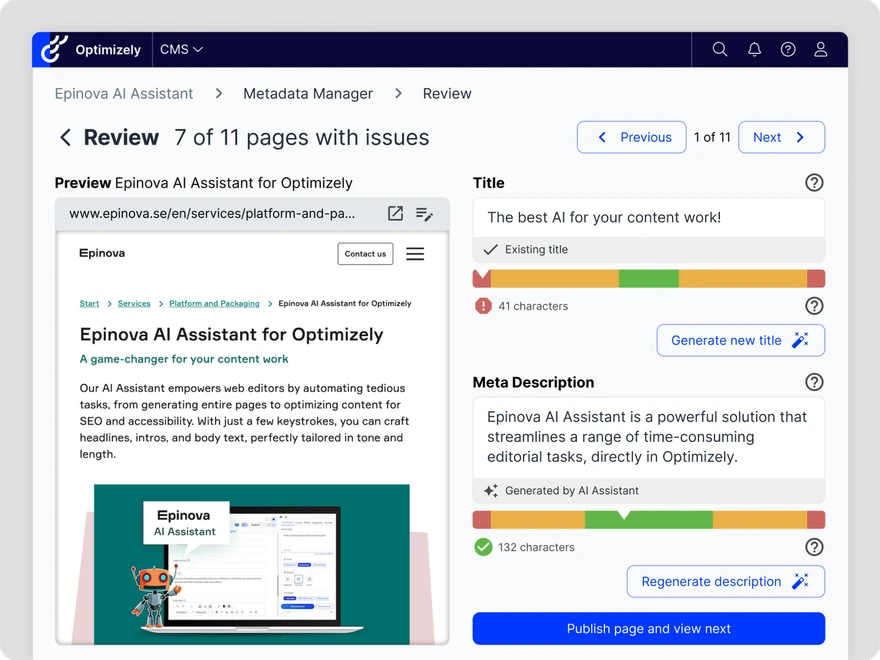
Metadata Manager scans your website for missing, too short, or too long page titles and meta descriptions and generates optimized alternatives based on actual page content—so your metadata is relevant, compelling, and SEO-friendly. No more clicking through hundreds of pages in your CMS. With Metadata Manager, you can review, edit, and publish metadata suggestions in bulk—saving time and ensuring consistency across your site.

Key features

  • Automatically identifies pages with missing or suboptimal metadata
  • Tailors titles and meta descriptions based on on-page content
  • Quickly approve or tweak suggestions in a central interface
  • Push changes instantly without navigating the CMS page by page
  • Titles and descriptions are generated to optimal length according to SEO standards

Documentation and Editor guides

Dive into our Proxima AI Assistant and see how it works in practice. Access documentation, videos and editor guides to help your team make the most of it.

Take me to the product website where I can read more about Proxima AI Assistant

Yes, I want to try the AI ​​Assistant for free

Get in touch and we'll tell you more and help you take the next step towards better visibility, even in AI search!

Our experts will help you make the move

Annika helps editorial organizations get the most out of Optimizely as a platform. Annika has extensive experience with Optimizely with a particular focus on CMS and CMP (Content Marketing Platform) and Proxima AI Assistant, and have educated hundreds of Optimizely editors.

Annika Jansson in front of a window