Accessibility overlays don't fix websites – they often make them worse
Why accessibility overlays fail, what the evidence shows, and where to go from here.
What accessibility overlays actually do
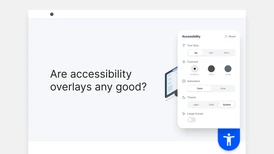
Accessibility overlays are third-party tools that inject JavaScript code into websites. They scan pages and automatically apply changes like text-to-speech functionality, contrast adjustments, font size modifications, and colour theme variations.
On the surface, they sound reasonable. Customisation is good. User choice is good. But there's an important distinction between fixing accessibility issues and adding a layer on top of them. Overlays do the latter.
Think of it like putting duct tape over a broken water pipe. The tape might hide the leak for a while, but the pipe underneath is still broken. Eventually, water finds its way through, and you're left with a bigger mess than you started with.
But the concept behind the overlays addresses a real need. Different users have different needs, and giving people control over their browsing experience is genuinely valuable.
What the research actually shows
Research from the University of Washington found that 42 % of users with disabilities stopped using websites after overlays were installed.
Users reported problems with layout navigation, screen reader compatibility, and disruptive prompts that made browsing nearly impossible.
In a WebAIM survey, 67 % of accessibility practitioners rated overlays as ineffective.
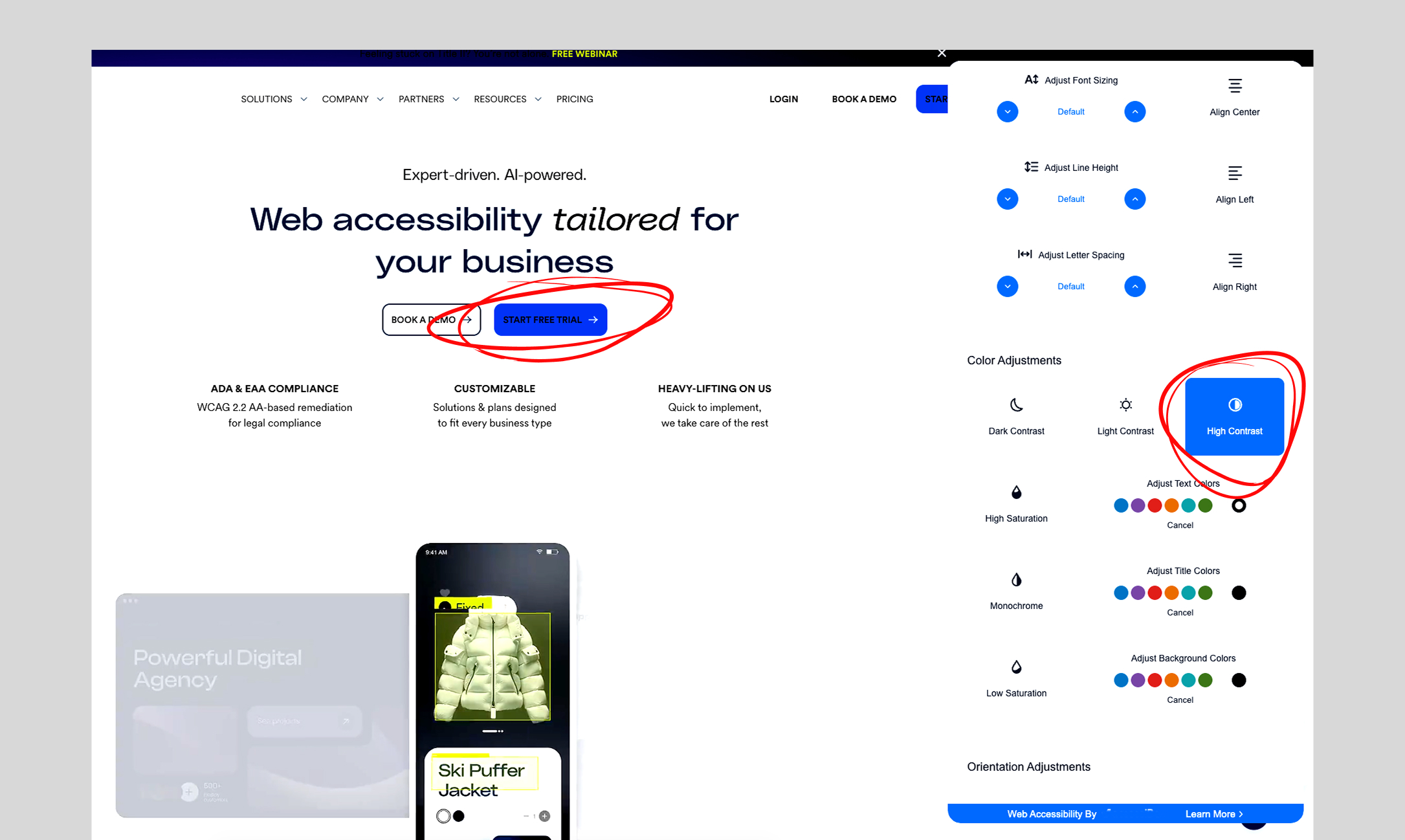
Last year, I encountered an accessibility overlay on one of my favourite clothing brands' websites. The dark mode displayed dark text on dark backgrounds. Increasing font size caused the entire site to freeze. These weren't minor issues. They were fundamental failures that made the site completely unusable for anyone actually trying to use the overlay.
Fortunately, the clothing brand has since removed that overlay.
Overlays can override user configurations
Many people with disabilities have spent years configuring their digital environment to work for them. Then they encounter an overlay. And that overlay overrides everything they've carefully configured.
Some overlays create their own "screen reader mode" that conflicts with the actual screen reader the user is already running. The result is confusion, missed content, and a completely broken experience. The overlay doesn't help. It interferes with the very tools that enable access.
The irony is rather painful. Vendors claim that the overlays give users more control. Instead, it strips away the control they already have.
Accessibility overlays don't provide legal safety
Despite marketing claims about lawsuit protection, overlays don't provide legal safety. The 2025 UsableNet Digital Accessibility Lawsuit Report found that accessibility widgets have not slowed the rise in digital accessibility lawsuits. More plaintiffs are filing lawsuits against companies that already use these tools.
This trend shows that widgets often fail to fix the core accessibility issues that plaintiffs cite. So far in 2025, plaintiffs have filed 2,019 lawsuits, projected to increase by nearly 20 % over 2024's total.
Courts increasingly side with plaintiffs who argue that overlays aren't real substitutes for properly accessible websites.
Even companies using accessiBe, a major overlay vendor, have faced class action lawsuits claiming their websites remained inaccessible. The overlay didn't prevent legal action, showing that these tools don't provide the legal protection vendors promise.
None of this means the underlying idea is flawed. The problem has always been the implementation, not the intention.
The idea itself isn't wrong
Increasing the flexibility and control of websites and apps is something that we should strive for. Users should have flexibility and control over their digital experiences.
Different people need different accommodations, and customizable interfaces can be incredibly helpful.
What a proper implementation looks like
Real flexibility and user control requires building accessibility into your foundation. Semantic HTML that works with assistive technology. Keyboard navigation that feels natural. Colour contrast that passes standards but also supports the user experience. Responsive design that works at any font size.
Test with real users, particularly those with different accessibility needs, to learn what flexibility they actually need.
Yes, this takes time. Yes, it requires investment. Yes, it requires expertise. But it produces something that overlay vendors can never deliver. A website that truly works for everyone, without workarounds, without conflicts, without compromise.
What overlays signal to users
Here's what I want you to sit with. If you were disabled and a website's accessibility features broke your screen reader, froze the page when you changed font size, or overrode settings you'd spent years configuring, what would that tell you about the company behind it?
For many users, that experience signals something clear. The company knew accessibility was a problem but wasn't willing to do the work to solve it properly.
The concept of giving users a button to adjust their experience is genuinely good. It should exist. It should be standard across the web. But overlays have implemented it so badly that they've created a stigma. When users encounter that accessibility button today, they don't think "this company cares about flexibility." They think "this company took a shortcut."
If we want to restore credibility to user customisation and flexibility, we need to build it differently. Not as a third-party quick fix. Not as something bolted onto broken code. But as a core part of website architecture, tested with real users, and continuously improved based on their feedback.
Are accessibility overlays any good?
They're not good.
But the idea behind them, the concept of user flexibility and control, is genuinely great. It deserves to be built into websites as standard.
I strongly believe that flexibility is the key to better user experiences. Giving users the ability to adjust how they interact with a website, on their own terms and without interference, should be a design standard.
When working with accessibility, I'd recommend Web Content Accessibility Guidelines (WCAG) as a starting point. They provide clear, testable criteria for building accessible websites. Understanding and applying these guidelines is more effective than any overlay.
Sources
- University of Washington CREATE Lab, "Accessibility overlays can make websites less accessible" – https://create.uw.edu/accessibility-overlays-can-make-websites-less-accessible
- WebAIM Survey of Web Accessibility Practitioners #3 – https://webaim.org/projects/practitionersurvey3/
- UsableNet, "2025 Midyear Digital Accessibility Lawsuit Report" – https://info.usablenet.com/hubfs/2025-MidYear-Report-FINAL.pdf
- accessibility.works, "Accessibility Overlay Widgets Attract Lawsuits" – https://www.accessibility.works/blog/accessibility-overlay-widgets-attract-lawsuits/
- Web Content Accessibility Guidelines (WCAG) – https://www.w3.org/TR/WCAG21/