Fixing unclassified Optimizely Experimentation cookies in Cookiebot
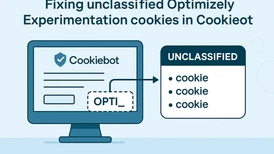
Running Optimizely Web Experimentation alongside Cookiebot can leave you with an unclassified cookie count that keeps growing, no matter how many times you clear it. Here is why it happens and how to fix it.
What is actually happening
Cookiebot's scanner does not only look at HTTP cookies. It also reports HTML Local Storage, Session Storage and similar client-side storage as trackers, and it classifies each entry by matching its name against Cookiebot's database. Anything it cannot match lands in the Unclassified bucket.
Optimizely Experimentation writes a fair amount of data to local storage and cookies. The important detail is that several of those entries do not use a single fixed name. They carry identifiers and suffixes tied to projects, experiments and sessions, so the exact key names vary. Two things follow from that:
- The automatic scanner keeps encountering key names it has not seen before, so the unclassified count grows over time even though it is the same few mechanisms behind it.
- Because the names are dynamic, you cannot classify your way out of it one entry at a time. You classify ten today and find twelve new ones next week.
In the client's case the entries were HTML Local Storage, not classic cookies. That is worth calling out, because people see "cookies" in Cookiebot and assume they are looking at the Set-Cookie headers. Optimizely Experimentation leans heavily on local storage, and Cookiebot governs it the same way it governs cookies.
This is not only cosmetic. In auto-blocking mode Cookiebot holds unclassified trackers until consent is given, which can interfere with how Experimentation initialises, and an incomplete cookie declaration is a compliance gap in its own right. Optimizely Experimentation is analytics, so these entries belong under Statistics and need to sit behind consent. They should not be parked under Necessary to silence the warning.
Step one: review the unclassified cookies in Cookiebot
Log in to Cookiebot, go to your domain, and open the cookie list filtered to Unclassified. If Optimizely Experimentation has been running for a while you will likely find a large number of entries with names starting with OPTI_ or optimizely_. In our case there were several hundred before anyone noticed.
Each entry needs to be set to Statistics and given a purpose description. Doing that by hand for hundreds of rows is not realistic, so we wrote a small script to run in the browser console while the Cookiebot admin page is open.
Step two: batch-classify the existing backlog
Open the Cookiebot cookie list in your browser, filter to Unclassified, and run this script in DevTools. It finds every row with a cookie name starting with OPTI_, sets the category to Statistics, and fills in the purpose description in English and Swedish:
(function () {
  const description = {
    en: "Used by Optimizely Experimentation to manage A/B testing, store variation assignments and ensure a consistent user experience across experiments.",
    sv: "Används av Optimizely Experimentation för att hantera A/B-testning, lagra variationer och säkerställa en konsekvent användarupplevelse."
  };
  const rows = document.querySelectorAll('.CookieManagerCookie:has(label[title^="OPTI_"])');
  console.log("Rows found:", rows.length);
  let updated = 0;
  rows.forEach(row => {
    const select = row.querySelector('.CookieManagerCookieCategory select');
    if (select && select.value !== "3") {
      select.value = "3";
      select.dispatchEvent(new Event('change', { bubbles: true }));
    }
    const inputs = row.querySelectorAll('.cookiePurposeInput');
    inputs.forEach(input => {
      const lang = input.getAttribute('languageid');
      if (description[lang]) {
        input.value = description[lang];
        input.dispatchEvent(new Event('input', { bubbles: true }));
      }
    });
    updated++;
  });
  console.log("Updated rows:", updated);
})();
The selector targets rows by the OPTI_ prefix; adjust it if your entries use a different prefix. Check the console output to confirm the row count matches what you expected, then save the changes in Cookiebot.
This cleans up the present state, but on its own it does not stop new variants from arriving. That is the next step.
Step three: self-registered wildcard cookies
Cookiebot lets you add self-registered cookies, and the name field accepts * as a wildcard. This is the part that does the heavy lifting, and it is easy to miss if you have only ever used the automatic scanner.
We added two self-registered entries:
optimizely_*
OPTI_*
optimizely_* matches every key that starts with optimizely_, and OPTI_* matches every key that starts with OPTI_. That collapses an open-ended, ever-growing set of dynamic names into two declarations. From that point on, when the scanner encounters a new variant it matches one of these patterns and gets categorised automatically instead of landing in Unclassified.
For each one we set:
- Category: Statistics
- Type: HTML Local Storage (these are local storage entries, not HTTP cookies)
- Domain path:
/ - Provider and first-found URL pointing at the site
- A clear purpose description, filled in per language in the declaration tabs
The Secure and HTTP-only flags are not meaningful for local storage, but Cookiebot's form carries them regardless, so do not read anything into them here.
A few things to watch
- Wildcards only apply to self-registered cookies. The automatic scanner still reports the real entries it finds, but once they match your declaration they are categorised rather than unclassified.
- Get the category right. Optimizely Experimentation is Statistics and must stay behind consent. Do not move it to Necessary to make the count drop.
- If your declaration is multilingual, fill in the purpose description for every language. A description that only exists in English leaves the others blank in the published declaration.
- Re-scan after saving and confirm the unclassified count actually drops. The change is not retroactive on a cached scan.
Why this matters
The growing unclassified count is a scanning artefact caused by dynamic key names, but the consequences are real: blocked trackers can disrupt Experimentation, and an incomplete declaration is not compliant. Two wildcard self-registered cookies, set to the correct category, turn an open-ended maintenance task into a one-time fix that keeps working as your experiment portfolio changes.
If you are running Optimizely Experimentation alongside Cookiebot and seeing the same pattern, this is the approach we would reach for first.

Vi vill gärna höra vad du tycker om inlägget