What does an upgrade to Optimizely CMS 13 mean?
Many organizations running Optimizely CMS 12 (or earlier versions) will soon face the question of when and how to upgrade to Optimizely CMS 13, and what such an upgrade will mean for them.
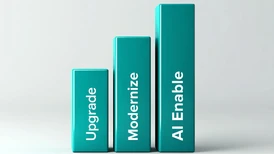
Why CMS 13 deserves your attention now
With the release of CMS 13 the platform continues to evolve faster than ever, both technically and in how digital ecosystems can be managed. At the same time, AI capabilities are becoming deeply integrated into the platform with Optimizely making major investments in its Optimizely Opal AI platform.
Opal introduces AI support across many parts of the platform, not least the CMS. This opens new possibilities for how processes such as content creation, content governance, experimentation, personalization, and optimization can increasingly be supported or automated.
An upgrade to CMS 13 is not just a routine version update. It is therefore important to start planning early and understand what the transition may involve. You should probably not ask yourself, - "When can we afford to budget for an upgrade?" but rather, - "With the extreme pace of development right now, can we afford to wait with an upgrade?"
This blog post explains a couple of the main areas affected by the upgrade and what customers should consider when budgeting and planning.
The platform continues to modernize
Optimizely has steadily modernized the platform over the years. The move from CMS 11 to CMS 12 already introduced major shifts, including .NET Core, a more modern architecture, and improved cloud readiness.
CMS 13 continues in this direction by:
- Introducing Optimizely ID (Opti ID) as the identity system
- Phasing out Search & Navigation in favor of Optimizely Graph, with modern semantic search capabilities and better support for headless and multi-channel delivery
- Expanding other parts of the platform to support modern delivery approaches such as headless architecture
- Introducing Visual Builder, a built-in way to work with page layouts in order to increase editorial freedom and reduce the need for development
- Aligning with the newest .NET platform version
For many customers, this means that the CMS upgrade is not only a technical step, but also an opportunity to start working much more systematically with AI in their digital teams.
Optimizely ID (Opti ID) becomes mandatory
One of the most visible changes is the requirement to use Optimizely ID (Opti ID). Opti ID is Optimizely's central identity system and will serve as the single sign-on layer across Optimizely products such as CMS, Opal, Experimentation, and DXP services.
While this change introduces a new requirement, it also acts as an important enabler for new capabilities across the platform. For example, Opti ID is a prerequisite for using Optimizely Opal, the AI layer that is becoming increasingly integrated across Optimizely products.
In addition to improving security, this change means that user management moves away from local CMS accounts toward external identity providers. This makes it much easier to manage accounts and access across multiple Optimizely products, since all authentication and permissions are handled in one place.
Integration with systems such as Azure AD or other identity providers is fully supported (but not required). For you who already use centralized identity systems, this can simplify user management and enable single sign-on. In such cases, coordination with internal IT teams may be needed to align authentication and access management with corporate policies.
From Search & Navigation to Optimizely Graph
Another significant change in CMS 13 is the gradual phasing out of Search & Navigation (formerly Episerver Find). Instead, customers are encouraged to move to Optimizely Graph.
Optimizely Graph is a modern content indexing service designed to support both traditional CMS sites and headless architecture using the widely adopted industry standard GraphQL.
While Search & Navigation was primarily built to power website search, Graph is designed for a broader set of use cases:
- Faster and more flexible content queries
- Semantic search capabilities which increases efficiency of search functionality
- Modern API-based access to content
- Headless and multi-channel delivery
- Improved performance and scalability
- Content queries specified by the client applications, making it much easier when multiple consumers such as websites and mobile apps use data from the CMS
If you are currently relying on Search & Navigation, this transition will require some adjustments, particularly when it comes to adapting custom search functionality. The scope of the changes will depend on how search has been implemented in the current solution.
For websites that rely heavily on advanced search features or custom search configurations, this migration may represent one of the more substantial parts of the upgrade effort.
.NET platform changes
Optimizely CMS 13 aligns with newer versions of Microsoft's .NET platform.
This typically involves:
- Upgrading the .NET version used by the solution
- Updating dependencies and third-party packages
- Replacing or updating older libraries that may no longer be supported
In practice, this often includes updating project files, updating NuGet dependencies, and ensuring that the solution works correctly with the newer .NET runtime. As a result, development work and testing should be expected as part of the upgrade process.
Potential breaking changes in code
As with any major platform upgrade, CMS 13 introduces breaking changes in the API and framework components.
Most of these are technical changes affecting developers, such as:
- Deprecated APIs being removed
- Changes in dependency injection patterns
- Updates in how services are registered
- Adjustments in search-related integrations due to Graph
The effort involved typically depends on how customized the solution is. This is why most customers should begin with a technical assessment before committing to the upgrade.
Impact for editors and content teams
For editors, the upgrade is usually less dramatic than the technical changes happening behind the scenes.
However, some aspects of the editorial experience may change:
- Due to Opti ID, the login experience may change
- Search behavior may change slightly, and the way search is configured and managed will be updated as part of the transition to Optimizely Graph
- Functionality such as best bets and search statistics that existed in Search & Navigation have been added to Graph (does not exist in CMS 12)
- CMS 13 introduces tighter integration with Optimizely's CMP DAM, allowing editors to browse and insert assets directly in the CMS interface. (Note that DAM licensing still applies).
- Editors may benefit from better integration with the other products in Optimizely’s ecosystem like Opal and Optimizely DAM making it easier to work across tools.
- New capabilities such as Visual Builder* and other AI-driven tools powered by Opal may enable editors and content teams to handle more tasks themselves, reducing the need for developer involvement in certain areas
- External content - Introduces a new way to bring content from other sources into the CMS and make it available directly within the visual builder.
- Content manager - Context free editing (without any hierarchical structure), allowing editors to work with content outside traditional page structures and view content grouped by source, for example from the CMS, a DAM, or other connected systems.
*) Visual Builder requires your content model and templates to be adapted in order to make full use of it when upgrading.
New opportunity: headless content delivery
CMS 13 also strengthens Optimizely’s support for headless and hybrid architecture.
This allows customers to:
- Deliver content to multiple channels
- Power mobile apps, portals, and digital services
- Build modern frontend frameworks
However, it is important to note that going headless is optional. Many customers will continue using traditional MVC-based websites.
Why planning ahead matters
Even though the upgrade to CMS 13 is manageable, this is not just a routine update. It is a modernization step that should be considered in both your roadmap planning and your upcoming budgeting process.
Reflect on questions such as:
- How customized is our current solution?
- How heavily does our solution rely on Search & Navigation?
- How will Opti ID affect our authentication setup?
- Do we want to explore headless architecture or new capabilities?
- How much can we save by getting access to new capabilities?
- How much extra value can we unlock by getting access to new capabilities?
Depending on the complexity of your solution, the upgrade may represent a medium-sized initiative rather than a quick technical update.
It is therefore wise to plan activities such as a technical analysis of your current solution, future changes related to Opti ID, migration to Optimizely Graph, code updates, testing, and quality assurance.
Starting the planning early also creates a real strong opportunity to review your ways of working and explore how new capabilities, such as Opal and AI, can be integrated into your digital team’s working processes and your platform usage.
You do not have to do everything in one go in order to upgrade. It is possible to start preparing directly by making changes such as moving over to Opti ID, gaining value in small increments, and reducing the size of the upgrade project itself.
A natural step in the platform's evolution
CMS 13 represents not only the next step in the platform's technical evolution, but also a step toward a more AI-assisted digital platform.
As Optimizely continues to invest heavily in capabilities such as Opal AI, customers that start exploring these possibilities early will be better positioned to improve their digital experiences and work more efficiently with their digital platforms.
By starting the conversation early, you can ensure that the transition becomes a strategic improvement rather than a rushed technical upgrade.
You can also read more about the broader reasons why organizations choose to upgrade their Optimizely solutions.
Need help assessing the upgrade?
Do you need help assessing how large an upgrade to CMS 13 could be for your solution, or support in building a business case for the upgrade?
We have completed many hundreds of Optimizely upgrades over the years and have a well-defined process for doing so, as well as tools that help reduce the time needed to implement the required changes.
Get in touch with us, and we will help you move to CMS 13 as efficiently as possible.
About the authors
This blog post is written by Camilla Karlsson, Chief Delivery Officer at Epinova, and Linus Ekström, CEO and Optimizely Most Valuable Professional (OMVP).
Based on their experience from numerous Optimizely projects, they outline what upgrading to Optimizely CMS 13 may involve from technical, editorial, and business perspectives, and how the growing role of AI - in this context particularly Optimizely Opal - is beginning to reshape digital platforms and the way teams work with them.


Vi vill gärna höra vad du tycker om inlägget